

blog · Microcontrollers
Getting Started with Arduino
Getting Started with Arduino in Pakistan: From Zero to Your First Project
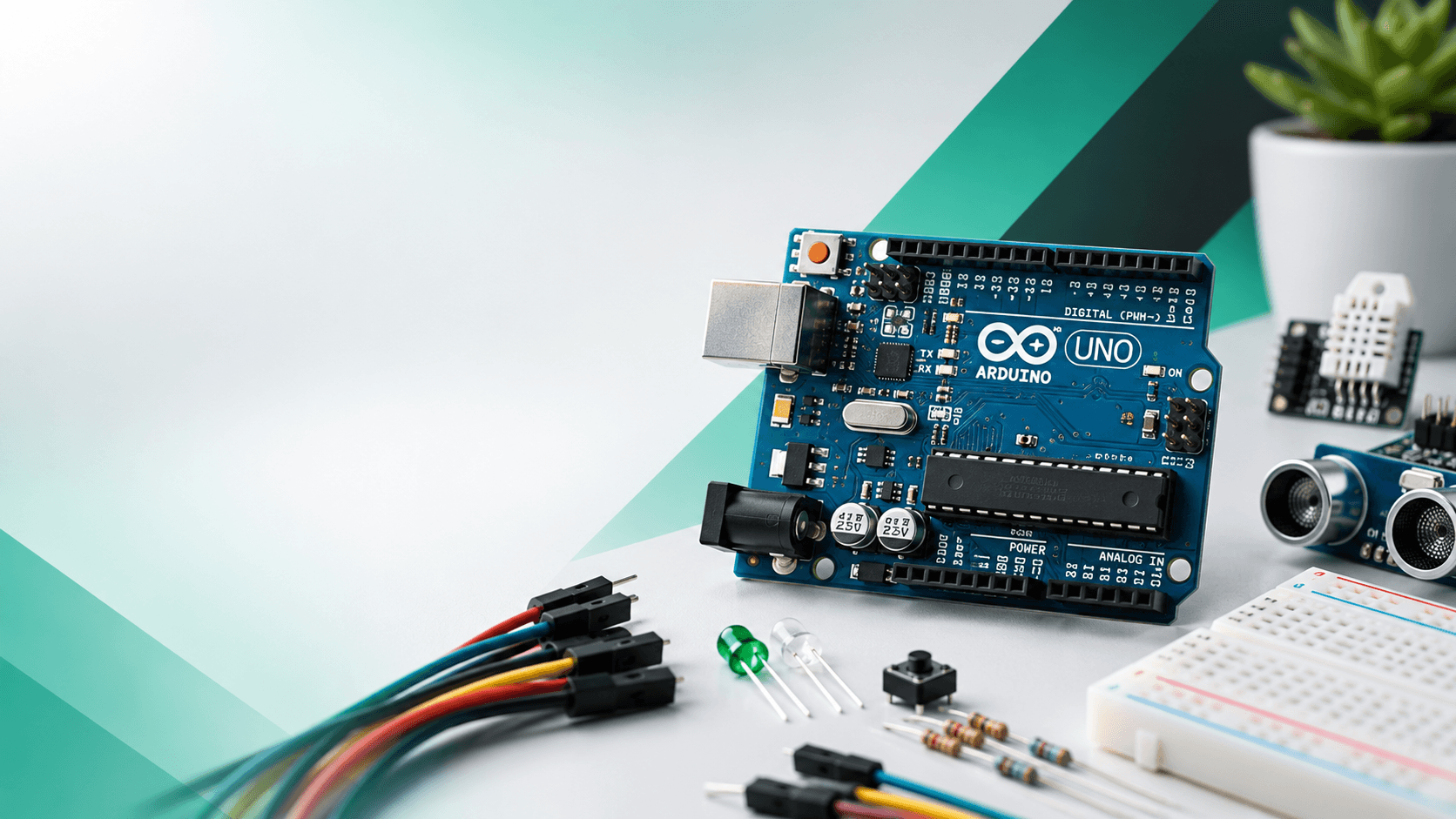
Every great invention starts somewhere. Sometimes, all it takes is a tiny blue circuit board, a blinking LED, and a little curiosity.
You've probably seen an Arduino in your university electronics lab, watched someone build a robot with one, or heard a friend mention it while discussing their final-year project.
But what exactly is Arduino? And why is this little board so popular among engineering students, programmers, and makers?
Whether you're a complete beginner or someone who has been putting off their first electronics project, this guide will help you get started.
1. What Exactly Is Arduino?
Arduino is an open-source electronics platform that combines programmable hardware with easy-to-use software.
In simple terms, an Arduino board allows you to control electronic components using code.
Imagine building a system that:
- Automatically turns on a light when someone enters a room.
- Measures temperature and displays it on a screen.
- Waters your plants when the soil gets dry.
- Controls a robot that avoids obstacles.
- Sends sensor readings to your computer.
Arduino makes all of these possible.
You write a program, upload it to the board, connect your electronic components, and watch your idea come to life.
And the best part? You don't need to be an electrical engineer to get started.
2. Which Arduino Should You Buy First?
There are several Arduino boards available in Pakistan, but not all of them are equally suitable for beginners.
Here are three popular options:
| Board | Best For |
|---|---|
| Arduino UNO R3 | Beginners and university labs |
| Arduino Nano | Compact and breadboard-based projects |
| Arduino UNO R4 WiFi | More advanced projects requiring built-in Wi-Fi and Bluetooth LE |
Arduino UNO R3 — The Classic Starting Point
The Arduino UNO R3 is one of the most widely used development boards for learning electronics.
It features an ATmega328P microcontroller, 14 digital input/output pins, and 6 analog input pins.
Its simple design, extensive online documentation, and compatibility with numerous sensors and modules make it a practical choice for your first project.
Our suggestion: If you're buying your first Arduino, the UNO R3 Compatible is a sensible place to start.
Arduino UNO R4 WiFi — Ready for Connected Projects
Want to build something connected to the internet?
The Arduino UNO R4 WiFi combines a 32-bit Renesas RA4M1 microcontroller with an ESP32-S3 wireless module.
It also includes a built-in 12×8 LED matrix, Wi-Fi, Bluetooth Low Energy, and a USB Type-C connection.
This opens the door to connected sensors, wireless monitoring, smart home projects, and more advanced automation.
3. What Components Do You Actually Need?
You don't need an entire electronics laboratory to start experimenting with Arduino.
A few basic components are enough to build your first projects.
| Component | Purpose |
|---|---|
| Arduino UNO R3 | The brain of your project |
| USB Type-B Cable | Programming and power |
| Breadboard | Build circuits without soldering |
| Jumper Wires | Connect components |
| LEDs | Visual output |
| Resistors | Limit current and control circuits |
| Push Buttons | Basic user input |
| Potentiometer | Adjustable analog input |
| HC-SR04 Sensor | Measure distance |
| DHT11 Sensor | Measure temperature and humidity |
Start small. You can always add more components as your projects become more ambitious.
4. Your First Arduino Project: Make an LED Blink
Every Arduino enthusiast remembers their first blinking LED.
It might seem simple, but this tiny experiment teaches some of the most important concepts in embedded systems:
- Writing and uploading code.
- Controlling digital outputs.
- Understanding voltage and current.
- Connecting electronic components.
- Working with timing and delays.
Step 1: Install Arduino IDE
Download the free Arduino IDE from the official Arduino website.
Connect your Arduino UNO to your computer using a USB data cable.
Select the Arduino Uno board and the correct COM port.
Step 2: Connect Your LED
For this project, you'll need:
- 1 × Arduino UNO
- 1 × LED
- 1 × 220Ω resistor
- Jumper wires
- Breadboard
Connect digital pin 8 to the resistor, then to the LED's longer leg (anode).
Connect the LED's shorter leg (cathode) to GND.
The resistor limits the current flowing through the LED.
Step 3: Upload the Code
Open a new sketch in Arduino IDE and enter:
const int ledPin = 8;

void setup() {
  pinMode(ledPin, OUTPUT);
}

void loop() {
  digitalWrite(ledPin, HIGH);
  delay(1000);

  digitalWrite(ledPin, LOW);
  delay(1000);
}
Click Upload.
If everything is connected correctly, your LED will turn on for one second and off for one second, repeatedly.
Congratulations! You've just programmed your first electronic circuit.
5. Five Arduino Projects to Try Next
Once your first LED is blinking, here are some interesting projects to explore.
1. Automatic Night Light
Components: Arduino, LDR sensor, LED, and resistors.
Create a light that automatically turns on when the room becomes dark.
2. Ultrasonic Distance Monitor
Components: Arduino, HC-SR04 ultrasonic sensor, and optional display.
Measure the distance between the sensor and nearby objects.
3. Mini Weather Station
Components: Arduino, DHT11/DHT22 sensor, and LCD or OLED display.
Display live temperature and humidity measurements.
4. Obstacle-Avoiding Robot
Components: Arduino, DC motors, motor driver, ultrasonic sensor, chassis, and battery pack.
Build a small robot that detects obstacles and changes direction.
5. Smart Plant Watering System
Components: Arduino, soil moisture sensor, suitable pump driver, water pump, and power supply.
Automatically water a plant when its soil becomes dry.
These projects introduce progressively more advanced concepts, including analog inputs, sensor communication, motor control, and automation.
6. Common Beginner Mistakes to Avoid
Even experienced developers make wiring mistakes. Here are a few things worth checking before powering your circuit.
Connecting LEDs without resistors
An LED connected directly to a power source may draw excessive current and become damaged. Use a suitable current-limiting resistor.
Powering motors directly from Arduino pins
Arduino GPIO pins cannot safely supply the current required by most motors. Use a suitable motor driver and power supply.
Mixing up 3.3V and 5V components
Not every sensor or module tolerates 5V signals. Always check its operating voltage and logic-level requirements.
Using the wrong COM port
If your sketch won't upload, check the selected board, COM port, USB cable, and required USB-to-serial drivers.
Buying everything at once
Start with a basic kit and expand as you learn. You don't need dozens of sensors to understand Arduino.
7. Where to Buy Arduino Components in Pakistan?
Finding the right electronics components can sometimes be frustrating, especially when you're juggling university classes, assignments, and project deadlines.
A missing jumper wire, resistor, or sensor can bring an entire project to a halt.
That's exactly why we're building Sparkonics.
Our goal is simple: make electronics and prototyping components more accessible to students, makers, and developers across Pakistan, starting with Islamabad and Rawalpindi.
From Arduino development boards and sensors to breadboards, jumper wires, motor drivers, and essential electronic components, we're bringing the tools for your next project closer to you.
Building something for university?
We deliver directly to university campuses across the Twin Cities, so you can spend less time searching for components and more time bringing your ideas to life.
Final Thoughts: Start Small, Build Something Amazing
Your first Arduino project doesn't have to be a sophisticated robot or a complicated automation system.
Start with a blinking LED.
Then connect a sensor.
Build something that responds to its environment.
Make mistakes, troubleshoot them, and try again.
Because learning electronics isn't just about understanding circuits or writing code.
It's about discovering that you can take an idea from your imagination and turn it into something real.
And that's where innovation begins.
Ready to build your first project?
Explore Arduino boards, sensors, breadboards, jumper wires, and more at Sparkonics.
Sparkonics — Components for a Brighter Tomorrow.