

guide · Measuring Instruments
How to Use a Digital Multimeter (DMM): Complete Beginner's Guide
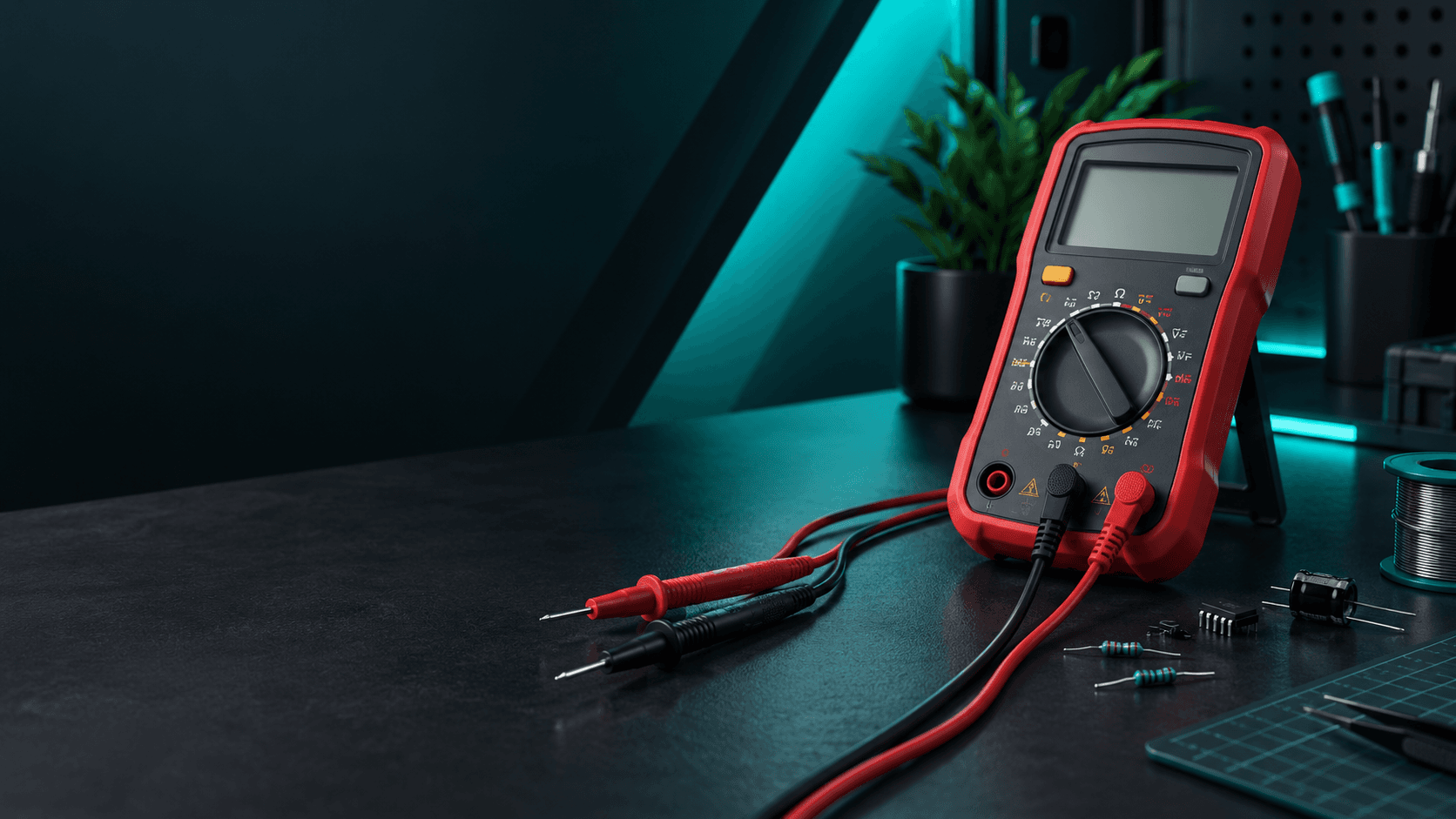
How to Use a Digital Multimeter (DMM): Complete Beginner's Guide
You're working on an Arduino project. Everything is connected, the code uploads successfully, but nothing happens.
Is the battery dead? Is a jumper wire broken? Is your sensor receiving the correct voltage?
Instead of guessing, you can find the answer with one simple tool: a Digital Multimeter (DMM).
A multimeter is one of the most useful instruments you can own as an electronics student, hobbyist, or engineer.
In this guide, you'll learn how to use a digital multimeter to test electronic components, troubleshoot circuits, and understand what is happening inside your projects.
1. What Is a Digital Multimeter?
A Digital Multimeter, commonly called a DMM, is an electronic measuring instrument that combines several testing functions into one portable device.
A typical DMM can measure:
- Voltage (V)
- Current (A)
- Resistance (Ω)
- Continuity
- Diode operation
Depending on the model, it may also measure capacitance, frequency, or temperature.
Think of it as a diagnostic tool for your electronics projects.
Instead of wondering whether electricity is reaching your Arduino, you can measure it.
Instead of replacing a resistor because you think it is faulty, you can test it.
And instead of rebuilding an entire circuit, you can identify exactly where the problem starts.
2. Understanding the Parts of a Multimeter
Before taking measurements, become familiar with the basic components of your DMM.
Digital Display
The screen shows the measured value and its unit.
For example, a reading of 5.02V indicates approximately 5 volts.
Rotary Selector
The circular dial is used to select the measurement function.
Common symbols include:
- V⎓ — DC Voltage
- V~ — AC Voltage
- A⎓ — DC Current
- Ω — Resistance
- Diode Symbol — Diode Testing
- Sound Wave Symbol — Continuity
- F or Capacitor Symbol — Capacitance
The exact symbols and functions vary between models.
Test Probes
A multimeter normally comes with two probes:
Black Probe: Common or reference connection.
Red Probe: Measurement connection.
Input Terminals
Common terminals include:
- COM — Black probe connection.
- VΩ — Voltage, resistance, and related measurements.
- mA/µA — Low-current measurements, if provided.
- 10A — Higher-current measurements, within the meter's rated limits.
Always inspect the terminal labels on your particular meter. Their arrangement can differ between models.
3. How to Measure DC Voltage
DC voltage measurement is one of the most useful functions for Arduino and electronics projects.
You can use it to check batteries, power supplies, sensors, and microcontroller circuits.
Example: Testing a 9V Battery
Step 1: Insert the black probe into COM.
Step 2: Insert the red probe into the voltage input.
Step 3: Set the selector to DC voltage (V⎓).
Step 4: On a manual-ranging multimeter, select the 20V range, if available.
Step 5: Touch the red probe to the battery's positive terminal and the black probe to its negative terminal.
Step 6: Read the displayed voltage.
A fresh nominal 9V battery may read slightly above 9V without a load. A lower reading can indicate reduced charge, but voltage alone does not fully establish battery health.
What If the Display Shows a Negative Value?
For a DC measurement, a negative reading usually means the probes are connected with reversed polarity.
Important Rule
Voltage is measured in parallel.
Connect the probes across the two points whose voltage difference you want to measure.
Never change to current mode while measuring voltage.
4. How to Measure Resistance
Resistance indicates how strongly a component opposes electric current.
It is measured in ohms (Ω).
Resistors are commonly used to limit LED current, divide voltage, and protect electronic components.
Example: Testing a 1kΩ Resistor
- Disconnect the resistor from any power source.
- Set the multimeter to resistance (Ω).
- Select the 2kΩ range, if your meter provides one.
- Touch one probe to each end of the resistor.
- Read the displayed value.
A 1kΩ resistor may show a reading such as 0.99kΩ or 1.01kΩ depending on its tolerance and the meter's accuracy.
Why Is This Useful?
Imagine you accidentally mix a 220Ω resistor with a 10kΩ resistor.
They may look similar, especially to a beginner.
A multimeter helps you identify their values without relying only on resistor color codes.
Important: Never measure resistance in a powered circuit. Other components connected in parallel can also affect the reading.
5. How to Test Continuity
Continuity testing checks whether an electrical path exists between two points.
It is particularly useful when troubleshooting breadboards, jumper wires, switches, and PCB connections.
Example: Testing a Jumper Wire
- Disconnect the wire from the powered circuit.
- Select continuity mode.
- Touch one probe to each end of the wire.
- Listen for the buzzer or check the displayed resistance.
A beep generally indicates a sufficiently low-resistance path.
No beep may indicate a broken wire, poor contact, or resistance above the meter's buzzer threshold.
Where Can You Use Continuity Testing?
- Checking broken jumper wires.
- Finding disconnected PCB tracks.
- Testing push buttons and switches.
- Checking solder connections.
- Identifying connected breadboard rows.
- Testing suitable disconnected fuses.
Practical Tip: Before troubleshooting a complicated circuit, test its basic connections. A loose jumper wire can cause hours of unnecessary debugging.
6. How to Measure DC Current
Current indicates the rate at which electric charge flows through a circuit.
It is measured in amperes (A) or milliamperes (mA).
Current measurements can help determine how much power your electronic components consume.
Example: Measuring an LED Circuit
Consider an LED connected to a suitable resistor and a 5V power supply.
To measure its current, the multimeter must become part of the circuit.
- Disconnect the power supply.
- Move the red probe to the appropriate current terminal.
- Select DC current mode and a suitable range.
- Open the circuit at the point where current needs to be measured.
- Connect the multimeter in series with the LED and resistor.
- Restore power and read the current.
- Disconnect power again before removing the meter.
A typical indicator LED circuit may consume several milliamperes, depending on its resistor, supply voltage, and LED characteristics.
The Golden Rule
Voltage is measured in parallel. Current is measured in series.
Never connect a multimeter directly across a battery or power supply while it is set to current mode.
This can create a short circuit, blow the meter's fuse, damage equipment, or cause injury.
If you are unsure how to insert the meter in series, ask a laboratory instructor before attempting the measurement.
7. How to Test a Capacitor
Capacitors store electrical energy and are widely used in power supplies, filtering circuits, and electronics projects.
Some digital multimeters, such as the UNI-T UT132D, include a dedicated capacitance measurement function.
Example: Testing a 100µF Capacitor
- Disconnect the capacitor from all power sources.
- Ensure the capacitor is safely and fully discharged.
- Select capacitance mode.
- Choose a suitable range if the meter requires manual selection.
- Connect the probes to the capacitor as instructed by the meter's manual.
- Wait for the reading to stabilize.
A capacitor labeled 100µF may measure somewhat above or below its nominal value, depending on its specified tolerance.
Important Guidelines
- Never test capacitance in a powered circuit.
- Never touch capacitor terminals before confirming that they are discharged.
- Large or high-voltage capacitors can retain dangerous energy even after power is removed.
- Beginners should restrict these experiments to small, low-voltage capacitors.
8. Digital Multimeter vs. Analog Multimeter
Digital and analog multimeters perform many of the same basic measurements, but they display results differently.
Digital Multimeter
A digital multimeter displays numerical readings on an LCD or similar screen.
Advantages include:
- Easy-to-read measurements.
- Convenient range selection on supported models.
- Multiple testing functions.
- Data hold on many models.
- Useful for electronics laboratories and troubleshooting.
Analog Multimeter
An analog multimeter uses a moving needle and a printed scale.
It can be useful for observing changing measurements, but reading the scale requires more practice.
For most beginners working with Arduino, breadboards, and low-voltage electronics, a digital multimeter is a practical starting point.
9. Common Multimeter Mistakes to Avoid
Using the Wrong Measurement Mode
Always confirm whether you're measuring voltage, current, resistance, or capacitance.
Forgetting to Move the Red Probe
After measuring current, move the red probe back to the voltage/resistance terminal before your next voltage measurement.
Measuring Resistance in a Powered Circuit
Disconnect power and confirm that stored energy has been discharged before testing resistance or continuity.
Selecting an Incorrect Range
If you're unsure of the expected value, begin with the highest appropriate range and reduce it gradually.
Ignoring Safety Ratings
A multimeter's maximum voltage marking is not enough to establish that it is suitable for every electrical environment.
Check the manufacturer's safety instructions, measurement category, voltage rating, and test-lead ratings.
For beginner experiments, focus on low-voltage, current-limited electronics.
Do not experiment with household mains electricity, electrical distribution panels, or high-energy battery systems using an inexpensive or unverified multimeter.
10. Five Practical DMM Experiments for Students
Now that you understand the basic functions, try these simple experiments.
Experiment 1: Measure a Battery
Measure the voltage of a 1.5V AA battery or a 9V battery.
Compare the reading with its nominal voltage.
Experiment 2: Identify Unknown Resistors
Collect several resistors with different values.
Measure each one and compare it with its color-code value.
Experiment 3: Check Jumper Wires
Test the continuity of jumper wires before using them in a breadboard circuit.
Experiment 4: Test an Arduino Power Rail
Build a simple, current-limited, low-voltage circuit and measure the voltage between its 5V and GND rails.
Do not short the rails with the probe tips.
Experiment 5: Troubleshoot a Non-Working LED
If your LED does not light up:
- Disconnect power.
- Check the LED's orientation.
- Measure the resistor.
- Test the jumper wires for continuity.
- Restore power and measure the voltage across the intended circuit points.
These simple tests introduce the same basic troubleshooting approach used in larger electronics projects.
11. Which Digital Multimeter Should You Buy in Pakistan?
Your choice depends on the type of projects you plan to build.
Budget Digital Multimeters
Basic handheld meters are suitable for introductory low-voltage measurements, provided their specifications and safety ratings match the intended application.
They can be useful for learning voltage, resistance, and continuity testing.
UNI-T UT132D Digital Multimeter
The UNI-T UT132D is a compact manual-ranging digital multimeter with a 2000-count display.
It supports common electronics measurements, including:
- AC/DC voltage.
- DC current.
- Resistance.
- Capacitance.
- Diode testing.
- Continuity testing.
- Transistor hFE testing.
Its capacitance measurement function can be useful for students working with discrete electronic components.
What Should You Look For?
Before purchasing any DMM, consider:
- Measurement functions.
- Accuracy and resolution.
- Suitable input ranges.
- Safety ratings.
- Test-lead quality.
- Availability of replacement fuses.
- Build quality and warranty.
Choose a meter based on the actual measurements you need to perform, rather than simply choosing the model with the most features.
12. Where to Buy Digital Multimeters in Pakistan?
A reliable multimeter is an essential addition to any electronics toolkit.
Whether you're testing an Arduino circuit, building a robot, or troubleshooting a university project, having the right measuring instrument can save time and prevent unnecessary component replacement.
At Sparkonics, we're building a convenient destination for electronics students, hobbyists, and makers across Pakistan.
Explore digital multimeters, Arduino boards, breadboards, jumper wires, sensors, resistors, and other essential components for your next project.
We also offer convenient delivery across Islamabad and Rawalpindi, including university campuses in the Twin Cities.
Final Thoughts: Stop Guessing, Start Measuring
Electronics isn't just about connecting wires and uploading code.
It's about understanding what is actually happening inside your circuit.
A digital multimeter helps you answer the questions that turn a frustrating project into a working one.
Is the battery supplying enough voltage?
Is the resistor correct?
Is the wire connected?
Is the circuit drawing the expected current?
With a little practice, you'll be able to find answers instead of relying on guesswork.
Because great electronics projects don't just work — their creators understand why they work.
Ready to Start Measuring?
Explore Digital Multimeters, Arduino boards, sensors, and essential electronics components at Sparkonics.
Sparkonics — Components for a Brighter Tomorrow.